
Find unlimited Premiere Pro presets
Premiere Pro presets help you speed up your video production. Find all the presets you need for your project using intuitive search filters, and access thousands of assets, including titles, transitions, animations, color grades, LUTs, effects, and more. Subscribe today to download unlimited Premiere Pro presets.


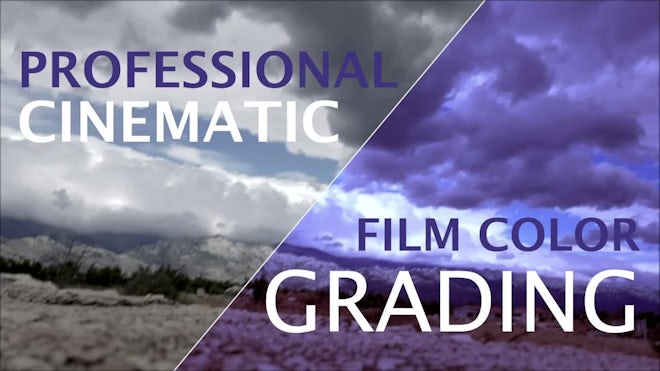


What are Adobe presets?
Premiere Pro presets are predefined, customizable settings that you can apply
to any video while editing. They help you achieve professional effects quickly and easily.
Instead of having to manually change the settings each time,
you can simply drag and drop your chosen preset onto your video clip in Premiere Pro — and you’re done!
The difference between Premiere Pro templates and presets is that templates are complete projects (that can also be customized), whereas presets are a series of predefined settings or effects.
There are many different kinds of Premiere Pro presets. Some of the most popular ones include text effects, transitions, color grades and LUTs.
Your installed presets will appear under the Presets folder, located inside the Effects window. To apply your preset in Premiere Pro, simply drag and drop it onto the relevant video clip and watch the magic happen.
Read more
The difference between Premiere Pro templates and presets is that templates are complete projects (that can also be customized), whereas presets are a series of predefined settings or effects.
There are many different kinds of Premiere Pro presets. Some of the most popular ones include text effects, transitions, color grades and LUTs.
How to use a preset in Premiere Pro
The beauty of presets is that they’re surprisingly easy to use. Once you’ve found your preset of choice, download it and open up Adobe Premiere Pro. Next, navigate to the Effects window, right-click on top of the ‘Presets’ folder and select ‘Import Presets...’. A window will pop up. Select the preset and click ‘Open’.Your installed presets will appear under the Presets folder, located inside the Effects window. To apply your preset in Premiere Pro, simply drag and drop it onto the relevant video clip and watch the magic happen.